Quickstart
Get from zero to your first remote support session in under 10 minutes.
1. Create your tenant
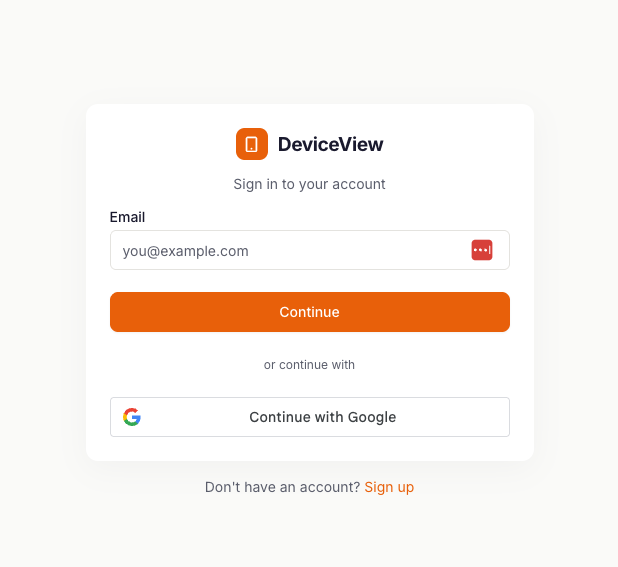
If you have created an account skip to step 3. Otherwise navigate to portal.deviceview.ai and click the sign up button at the bottom of the page. Follow the On screen prompts to sign up for a tenant.
- Your tenant is isolated at the cryptographic level, not by row-level filtering, so there is no shared state with other customers.
2. Verify your Email
A verification email to the address you signed up with. Once you verify you can login to your DeviceView Portal. If you signed up with a Google email you can use the Google Oauth for quick sign in.
3. Enroll your first device
From the Enrollment panel click "Create Token". Name the Token and define the type of token (Single or Multi Use). Defining the platform type and expiry date are optional.
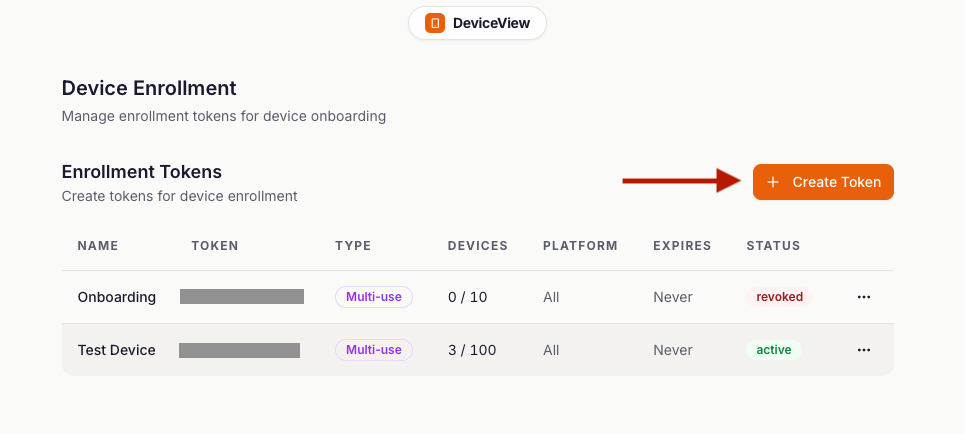
Once the Token is created you can click on the ... next to the token to pick the fastest path for the platform in front of you:
- Android — Press "Mobile QR Code" to scan a QR code from the console. The device auto-enrolls and installs the DeviceView agent.
- Windows — Press "Desktop Install Command" and run the one-line installer with the enrollment token shown in the console.
See Installation for every platform's enrollment method.
4. Start a live remote session
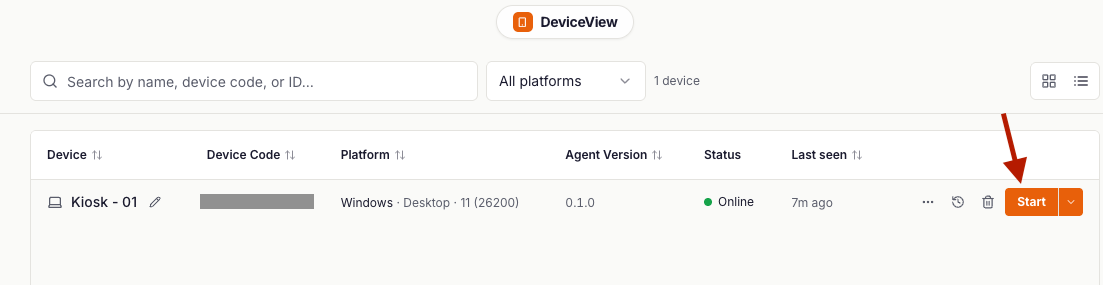
Once a device is onboarded it will show on the Device Screen. From here you can click the Start button in orange to start the session.
5. Try the core features
Inside a live session:
- Take control of the screen.
- Put the device into Privacy Mode
- Record the session video
- View Diagnostic Information
- Run Commands in Windows Powershell/Command Line
- Utilize Quick actions (Restart, Shutdown, Lock screen, Wake Screen)
6. Invite your first team member
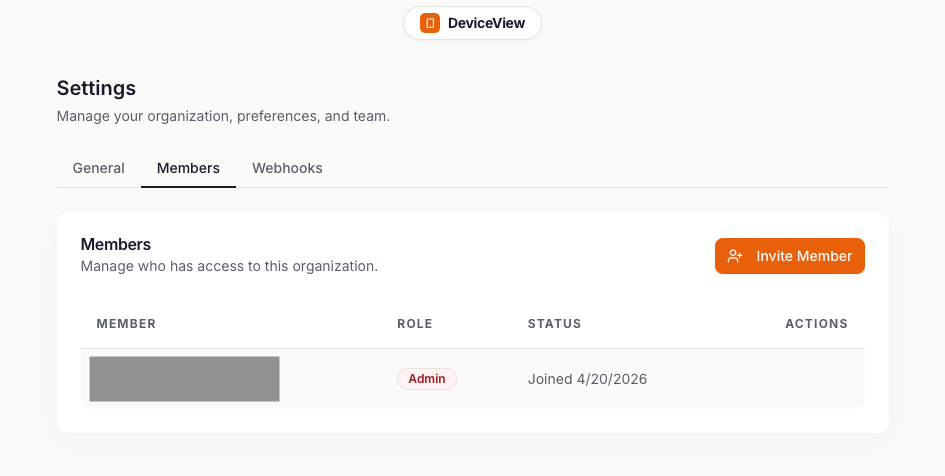
From Team → Members, invite a teammate by email. Role-based access control is on by default — every new member starts with the lowest-privilege role which can be changed later.
Next
Once this flow works end to end, jump to the Live Remote Support guide for the day-to-day details.